SDL Portal
Overview
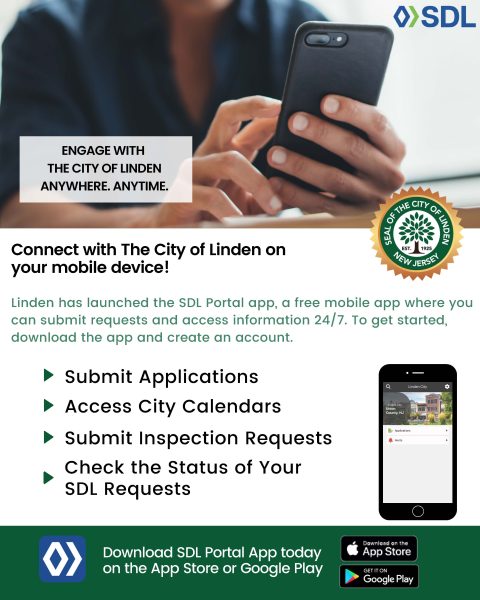
Through our partner, Spatial Data Logic (SDL), the Building Department now offers residents, property owners, and contractors convenient online access to a wide range of property and permit information. The SDL Portal is a secure, cloud-based web application that connects directly to the municipality’s management software, ensuring real-time access to accurate and up-to-date data.
With the SDL Portal, you can easily search for property information, view permit and inspection history, pay permit fees, and track the progress of ongoing applications—all from the comfort of your home or office.
Features and Benefits
With your SDL Portal account, you can:
- Search permits by address, owner name, or permit number
- View assessed property values and tax lot information
- Access inspection history and see the status of scheduled or completed inspections
- Track your permit process from application to approval
- Schedule inspections directly through the portal
- Pay for permit fees securely online
- View town maps with zoning, property class, and flood zone overlays
- Access additional property information, including violations, complaints, and certificates
Click here* to set up your SDL Account.
Property Information
Each property page within the SDL Portal offers a comprehensive view of property details, including:
- Basic Property Data: Tax lot, address, and owner information
- Permit Information: Active and historical permits, including type, issue date, and status
- Inspections: Scheduled and completed inspections with results
- Complaints and Violations: Any open or resolved code enforcement cases
- Certificates and Licenses: Certificates of occupancy, continued use, and other related documents
Authorized town staff can view additional data through secure login, while the public can access over 50 property information items, depending on town configuration.
Key Benefits:
- Summary of department data about a property all on one page
- Links to detailed permit and inspection records
- Easy navigation between related properties and applications
Search Function
The Search Tool in the SDL Portal allows users to locate information quickly and accurately, even with limited details.
You can search by:
- Full or partial address
- Full or partial owner name
- Block and lot number
- Permit or control number
This advanced search capability is available throughout the portal, helping users fill out forms, locate permits, or access map-based information efficiently.
Search Features Include:
- Text-based and map-based search options
- Advanced search filters for specific permit details
- User-friendly navigation and quick results
Maps and GIS Features
The SDL Portal’s interactive Maps Page integrates Geographic Information System (GIS) data with a modern, intuitive interface. This feature allows users to explore property and zoning data visually and understand the geographic context of town-wide information.
Map Tools and Layers Include:
- Property Maps: Click on any property to access its details
- Zoning Maps: View zoning districts, historical districts, and ward boundaries
- Utility Maps: Access information on water, sewer, and waste systems
- Construction Permit Data: Filter by date range, work type, permit status, or construction cost
- Property Classification: View residential, commercial, and vacant land data
- Flood Plain and Environmental Overlays: See flood zones and environmental districts
- Heatmaps and Animations: Display permit activity trends over time
The Google Maps base layer provides familiar navigation and Street View integration, allowing users to visualize properties and surrounding areas directly within the SDL Portal.
* External Link Notice– Clicking any external link will cause you to leave the City of Linden website and access a site not maintained or controlled by the City. The City of Linden is not responsible for, and cannot guarantee the accuracy of, the content, security, availability, relevance, timeliness, or completeness of information on external websites, nor does it endorse any views, products, or services they may offer.